How to Choose the Right LED Display Controller for Your Needs?

Choosing the right LED display controller is crucial for achieving optimal performance in various applications. The global LED display market is booming, projected to reach $70 billion by 2026, according to industry reports. This growth is driven by innovations in technology and rising demand for immersive visual experiences.

An LED display controller plays a key role in this ecosystem. It determines how images and videos are processed and displayed, and influences overall image quality. However, not all controllers are created equal. Different projects have unique requirements that might be overlooked if one doesn’t thoroughly evaluate options.

For instance, it's important to consider compatibility with your LED panels and software. Many controllers boast advanced features, but their usability might fall short in practical settings. Reflecting on your needs will help clarify what functionality is truly necessary. Finding the right balance between capability and cost is vital, but often challenging.

How to Choose the Right LED Display Controller for Your Needs?

Understanding Different Types of LED Display Controllers and Their Functions

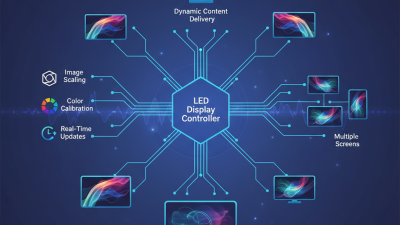
When choosing an LED display controller, understanding the types available is crucial. There are several different controllers, each designed for specific functions. For instance, simple controllers are great for basic displays. They often handle single-screen setups effectively. More complex controllers are ideal for large, multi-panel arrays. They enable sophisticated effects and seamless transitions.

Another factor to consider is connectivity. Some controllers support wireless options, making installation easier in tight spaces. Others require direct connections, which might complicate setups. You might find yourself dealing with tangled cables. Many users overlook software compatibility, too, which is essential. If your chosen controller does not work with your existing systems, it can lead to frustration.

Lastly, keep in mind the scalability of the controller. As your display needs grow, will the controller adapt? Some limit the number of panels, leading to extra costs later. If budget is tight, this can be a pitfall. Reflect on your current and future needs to avoid outgrowing your controller choice. Make sure to assess the potential for upgrades and support availability. Avoiding these considerations can lead to unnecessary challenges down the line.
Key Specifications to Consider When Selecting an LED Display Controller

When selecting an LED display controller, it’s crucial to focus on key specifications. Resolution is one of the most important factors. Higher resolution ensures clearer images. For instance, a controller supporting 1920x1080 will deliver better detail than one at 1280x720. Additionally, consider the pixel pitch. A smaller pitch means closer viewing distances are viable without losing clarity.

Connectivity options also matter. Make sure the controller supports various interfaces such as HDMI and DVI. This versatility is critical for adapting to different setup needs. Yet, not all connections may work seamlessly. Testing compatibility can prevent future frustrations.

Size and weight matter too. A portable controller can be handy for events and exhibitions. But, heavier controllers may offer more features. Analyze what fits best for your environment.

Tips: Think about the environment where the display will be used. Is it for outdoor or indoor settings? For outdoor use, brightness and weather-resistant features are essential. Take the time to reflect on your specific needs before finalizing your choice.

How to Choose the Right LED Display Controller for Your Needs?

Specification Description Importance
Input Types Types of signals the controller can take (HDMI, VGA, DVI, etc.) Critical for compatibility with your content source
Output Resolution Maximum supported resolution for output Determines the clarity and detail of your display
Refresh Rate How often the image is refreshed per second Affects motion smoothness; higher is better
Control Method Ways to control the display (software, remote, etc.) Impacts ease of use and flexibility
Scaling Capability Ability to resize content for the display Important for maintaining content quality
Connectivity Options Available ports (Ethernet, USB, etc.) Affects integration with other devices
User Interface How user-friendly the controller's interface is Essential for efficient operation
Price Cost of the controller Determines overall budget and value

Assessing Compatibility with Your LED Display Technology: A Practical Guide

When choosing an LED display controller, compatibility with your display technology is crucial. Different types of LED displays have varying requirements. Consider pixel pitch, resolution, and brightness. Each factor influences the controller’s performance. If the controller fails to meet these specifications, the display will not function optimally.

Assess the connection interfaces as well. Some controllers support HDMI, while others focus on DVI or DisplayPort. Ensure that your chosen controller can interface seamlessly with your display. A mismatch can lead to frustrating installation challenges. You might face unexpected delays and extra costs due to compatibility issues.

Lastly, keep in mind the software aspect. Some controllers offer user-friendly software, while others require steep learning curves. This can hinder your ability to implement and manage your display effectively. Taking time to evaluate these compatibility factors can save you from future headaches. Reflect on your needs before making a decision.

Comparison of LED Display Controller Features

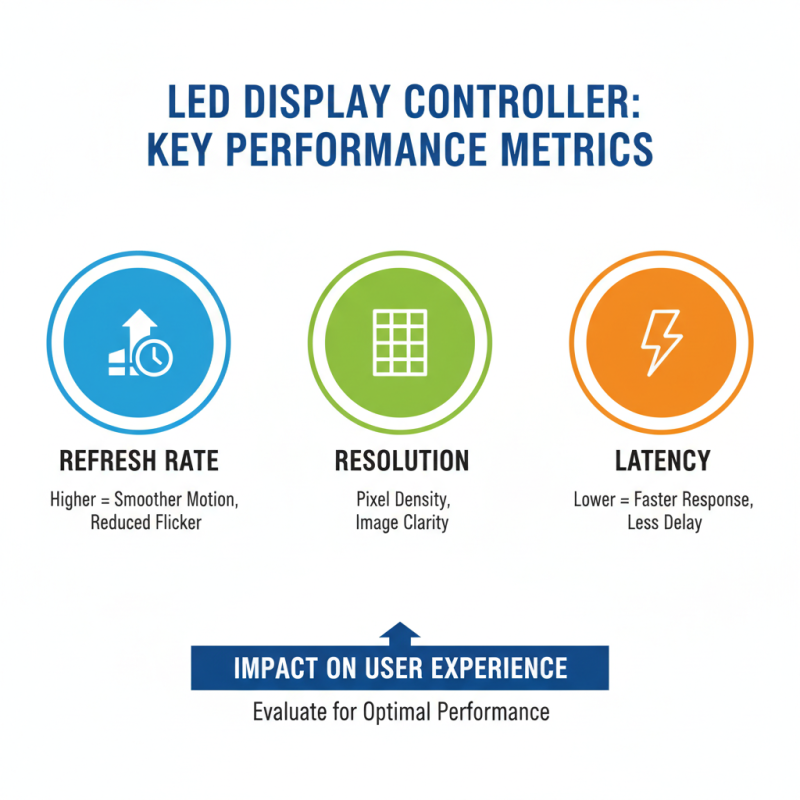
Evaluating Performance Metrics: Refresh Rate, Resolution, and Latency

How to Choose the Right LED Display Controller for Your Needs?

When selecting an LED display controller, evaluating performance metrics is crucial. Refresh rate, resolution, and latency can significantly impact user experience. The refresh rate determines how often the display updates. A higher refresh rate reduces flicker and provides smoother motion. However, some users may not notice the difference when the refresh rate exceeds a certain point.

Resolution plays a vital role in image clarity. Higher resolutions deliver more detailed visuals, making fine text and images clearer. However, opting for ultra-high resolutions can strain the hardware and might not always be necessary for all applications. Consider what content you will be displaying. Sometimes, lower resolutions suffice for basic information.

Latency is another critical factor. It measures the time between input and display. Lower latency ensures a more responsive experience, especially in interactive applications. However, achieving low latency often requires careful optimization. Users might encounter challenges with synchronization. Assess your needs and environment before making a choice. Each of these metrics carries weight in their context and must be balanced for optimal performance.

Cost-Benefit Analysis: Balancing Features, Budget, and Long-Term Needs

Choosing the right LED display controller can be a complex task. Many factors come into play, especially when considering features and budget. You need to assess your long-term needs carefully. Sometimes, it’s tempting to choose the cheapest option. This can lead to future headaches or extra costs. A cost-benefit analysis helps clarify your choices.

Analyze essential features based on your specific requirements. If you need high-resolution displays, invest in controllers that offer that capability. Lack of features may save money now but could limit you later. Think about upgrades too. Sometimes, spending a bit more saves you trouble down the line.

Tips: Don’t rush the decision. Take your time to research and compare options. Ensure you have a clear understanding of your needs before making a choice. Ask questions and seek advice if needed. Balancing cost and performance is key. Aim for what meets your needs without overspending.

Scroll to Top