How to Choose the Best Mini LCD Display for Your Project
Choosing the right mini LCD display for your project can be challenging. Many factors come into play. Size, resolution, and power consumption are just a few aspects to consider. A mini LCD display can greatly enhance user experience but must fit your exact needs.
Think about your project goals. Are you building a display for an embedded system or a DIY project? A mini LCD display could be ideal for both applications. Select one that matches your design specifications and functionality. Not all displays offer the same features or quality. You might face difficulties finding the perfect match.
Research different models available in the market. Price variations exist, and sometimes higher cost does not mean better quality. Evaluate customer reviews and specifications. Sometimes users overlook essential details before purchasing. In the end, the right choice shapes your project’s success.
Factors to Consider When Selecting a Mini LCD Display for Projects
When choosing a mini LCD display, several factors come into play. First, consider the
display size and resolution. A
320x240 pixel display is common for small projects. However, a
higher resolution, like 800x480,
offers more detail for intricate designs. Users often overlook the importance of pixel density;
higher density can lead to richer visuals.
Next, examine the interface type. SPI and
I2C are popular connections for mini LCDs. The choice impacts both data transfer speed and ease of
connectivity. According to a recent survey by the embedded display market, over 45%
of developers prioritize interface compatibility. This statistic highlights the need
for careful selection, especially for complex projects.
Another critical aspect is power consumption. Many mini displays consume less than
200mA, but some can draw significantly more in
high-performance modes. Reducing power usage is vital for battery-operated applications. A poorly chosen display can lead to
unexpected project failures. Consider the
ambient light as well. In bright conditions, a display with a higher brightness rating is crucial for visibility.
Understanding Different Types of Mini LCD Displays: Pros and Cons
When choosing a mini LCD display, it’s essential to explore the various types available. Each type has its unique pros and cons. For example, TN (Twisted Nematic) displays are commonly used in affordable projects. They offer fast response times and low costs. However, they can suffer from poor viewing angles and limited color reproduction. This trade-off may affect your project, especially if visual quality is a priority.
IPS (In-Plane Switching) displays provide better color accuracy and wider viewing angles. They are suitable for projects where display quality is key. But, they can be more expensive than TN options. If your budget allows, consider IPS screens for their superior visuals. On the downside, some users find their refresh rates slower for fast-moving images.
Another option is OLED displays, known for their vibrant colors and deep blacks. They consume less power, making them ideal for battery-operated devices. Yet, they can exhibit burn-in issues if static images are displayed too long. This is a critical consideration for those planning prolonged use. Each display type presents unique advantages and challenges. Assessing these factors will guide you toward a better choice for your project.
Mini LCD Display Types Comparison
This chart compares the brightness levels of different types of mini LCD displays, helping users understand which type may best suit their project needs.
Key Specifications That Impact Performance: Resolution, Brightness, and Size
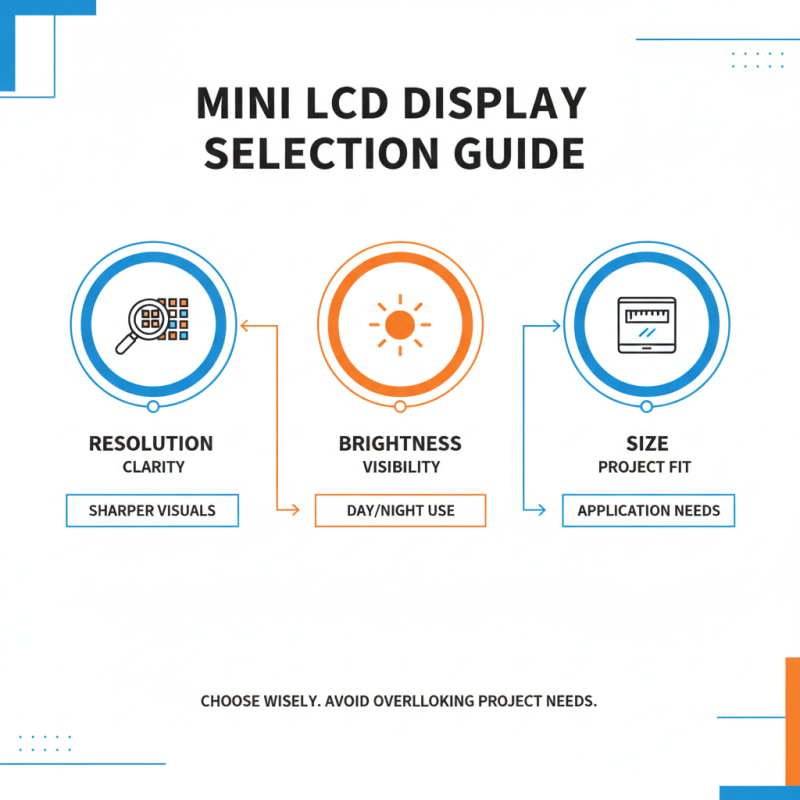
When selecting a mini LCD display, focus on three key specifications: resolution, brightness, and size. Resolution is crucial as it determines the clarity of the images or text displayed. A higher resolution means sharper visuals. However, many may overlook their project’s needs.
Brightness also significantly impacts performance. If your project will be viewed in extremely bright environments, opt for displays with higher lumens. Low-brightness screens may work fine indoors, but they struggle outside. Remember that too much brightness can strain eyes.
Size is another important factor. Think about the available space and how the display will fit. A compact display may seem ideal for portability, yet it can restrict visualization. Finding the right balance is vital.
Tips: Consider testing different sizes in your environment. This will help you visualize the impact on your project. Don’t rush the decision. Each project has unique needs that require reflection. Always evaluate what specifications matter most to your specific requirements.
Industry Standards and Trends in Mini LCD Display Technology
When considering mini LCD display technology, it's essential to stay informed about industry standards and trends. Displays are evolving rapidly, influenced by factors like resolution, size, and power consumption. New models often boast enhanced brightness and clarity, which can significantly improve user experience. The shift towards lower energy usage is another trend worth noting. More efficient displays can extend the battery life of your projects, a crucial aspect for portable devices.
Tips: Always check the resolution. Higher resolutions yield sharper visuals. Additionally, consider the display's viewing angle. Limited angles can make the screen hard to read from certain positions. Lastly, evaluate the response time. This aspect is vital for applications requiring quick updates.
Stay aware of current technologies. OLED and IPS are popular choices, offering superior color accuracy and contrast. Not everything is perfect. Some displays may have issues with color uniformity or brightness maintenance over time. It's crucial to test before finalizing your choice. Ultimately, understanding these standards can guide you in selecting the right display for your specific needs.
Best Practices for Integrating Mini LCD Displays into Your Projects
When integrating mini LCD displays into projects, careful planning is key. Start by considering the display's resolution and size. A higher resolution provides clearer images. However, it can draw more power. Balancing clarity and power consumption is essential for portable projects. Think about how the display will fit in your design. It should be visible, but not obstruct other components.
Wiring the display can be tricky. Ensure you have the correct connectors and pins. Sketch out your circuit before soldering. This can prevent mistakes and save time. It’s important to test everything before final assembly. Sometimes, things will not work as intended. Debugging can be frustrating, but it offers learning opportunities.
Consider the environment where your project will be used. Will it be in bright light? If so, you may need an anti-glare screen. Sometimes, the selected mini LCD might not be robust enough. Re-evaluate if your choice fits the project's needs. Don't hesitate to experiment with different options. Each decision impacts the overall functionality. Embrace the learning curve in this process.