Why Choose a Retail Touch Screen Kiosk for Your Store?

In a busy store, small delays can shape how customers feel about the whole visit. A shopper may want to check a product size, compare prices, or find an item without waiting for an associate. A Retail Touch Screen Kiosk can make those tasks easier by putting clear, searchable information near the sales floor. Its value depends on the details: readable text, responsive controls, accurate inventory data, and a screen positioned where customers can comfortably reach it.

The benefits are practical, not automatic. A well-planned kiosk may help customers explore products, locate departments, or complete routine steps while staff focus on questions that need human attention. Store teams can also use customer feedback and usage data to identify confusing menus or missing information. Keep it simple. A slow screen or outdated listing can frustrate shoppers more than it helps them. Accessibility, maintenance, and integration with existing systems deserve attention before installation, too.

For retailers considering this technology, the useful question is not simply whether a kiosk looks modern. It is whether it solves a real problem in a specific store. A compact shop may need different features than a large department store, and customer habits vary. Results should be checked after launch, rather than assumed. Even thoughtful designs need adjustment. This guide explores the reasons to choose a retail touch screen kiosk, the features worth evaluating, and the trade-offs retailers should consider before making a decision.
Why Choose a Retail Touch Screen Kiosk for Your Store?

What a Retail Touch Screen Kiosk Is

Why Choose a Retail Touch Screen Kiosk for Your Store?
What a Retail Touch Screen Kiosk Is

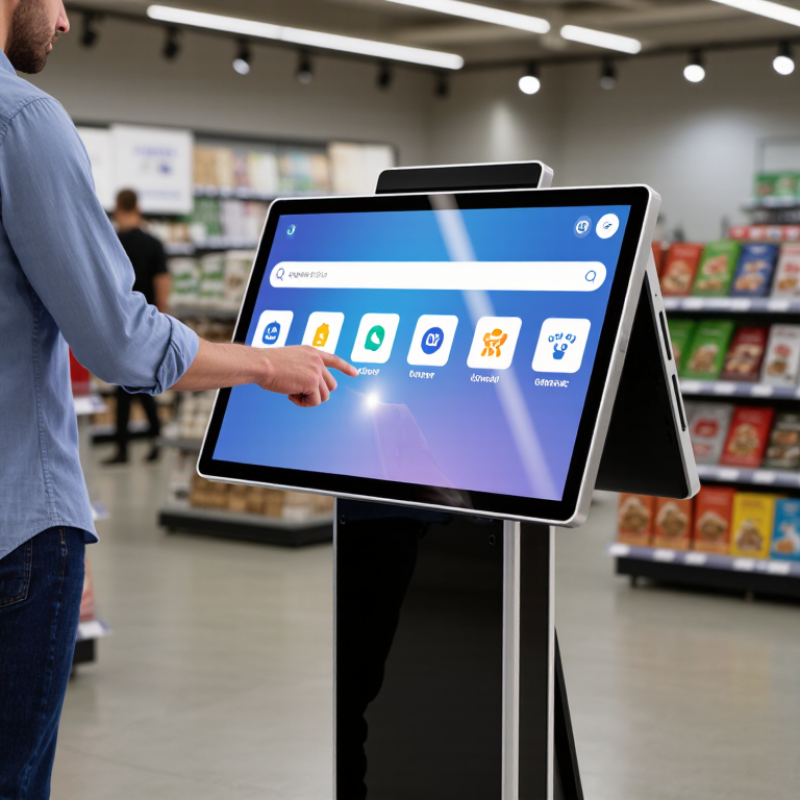
A retail touch screen kiosk is a freestanding or countertop computer that shoppers operate through a display. It may help them search a product catalog, check sizes, locate items, or place an order. The screen is the visible part; inside, a processor runs the software, while a network connection can link the kiosk to store information. Some units include a barcode scanner, receipt printer, or card reader. Others need only a screen and a stable connection.

Think of a shopper looking for a blue jacket in a busy store. A kiosk can show available sizes and nearby stock, if its inventory data is current. That “if” matters. A touch screen cannot fix inaccurate records, and a slow interface can frustrate people more than asking an employee. Keep buttons large and instructions plain. Test the screen under store lighting, too; glare can make a polished display hard to use.

Kiosks can support staff, not replace thoughtful service. Their role depends on the tasks, layout, and maintenance a store can realistically provide. A device placed beside a crowded entrance may be ignored. A useful one gives shoppers a clear next step, while keeping human help close by. Sometimes, the simplest setup works best.

Why Choose a Retail Touch Screen Kiosk?

A retail touch screen kiosk lets customers interact with digital services in-store, such as browsing products or checking information. Clear, adequately sized touch targets can make those interactions easier to use.

The chart compares minimum target side lengths, not kiosk screen sizes. WCAG 2.2 specifies a 24 × 24 CSS-pixel minimum target size at Level AA, subject to exceptions, and a 44 × 44 CSS-pixel enhanced target size at Level AAA.

How Retail Kiosks Support In-Store Activities

Why Choose a Retail Touch Screen Kiosk for Your Store?

How Retail Kiosks Support In-Store Activities

A retail touch screen kiosk can help shoppers check product details, locate sizes, compare options, and request assistance without leaving the aisle. It can also support order lookup, loyalty sign-ups, and guided product discovery. The U.S. Census Bureau reported that e-commerce accounted for 16.1% of U.S. retail sales in the fourth quarter of 2024. Most retail sales still happened outside online channels. That makes useful in-store tools important. A kiosk should solve a real customer task, not simply add another screen. A badly placed one can slow shoppers down.

Tips: Put kiosks near product zones or service counters. Use large text, clear prompts, and a visible way to call staff. Keep it simple.

Before installation, watch how customers move through the store. For example, a shopper comparing two appliance specifications may need a wider screen and clear product filters. Staff can use kiosks to check stock or answer routine questions, leaving more time for complex requests. Still, the screen may not reflect live inventory, and some shoppers will prefer human help. Review usage and customer feedback regularly, then adjust the content and placement. A small trial can reveal problems that a floor plan misses.

Why Choose a Retail Touch Screen Kiosk for Your Store? - How Retail Kiosks Support In-Store Activities
In-Store Activity How the Kiosk Supports It Customer Action Potential Store Benefit Useful Measure
Product discovery Displays searchable product categories, descriptions, specifications, and images. Browse categories or search for a product. Helps shoppers find relevant products and information while in the store. Searches, product-page views, and interaction completion rate.
Product availability checks Can show stock information when connected to a current inventory system. Check whether an item or size is available. Provides a self-service way to check availability; accuracy depends on inventory data and update frequency. Availability checks and reported stock-information issues.
Product comparisons Presents selected products and their attributes side by side. Compare features, dimensions, materials, or other listed details. Makes product information easier to review in one place. Comparison sessions and products compared per session.
Assisted selling Gives staff and shoppers a shared screen for reviewing product details or options. Explore choices with help from a store associate. Supports product conversations with consistent, on-screen information. Assisted sessions and staff feedback.
Ordering unavailable items Can provide an ordering flow for items not available on the sales floor, if linked to an order system. Select an item and follow the available ordering steps. Offers another way to place an order without relying solely on shelf stock. Orders started, completed, and abandoned at each step.
Store navigation Shows a store map or department directory when configured for the location. Find a department, service desk, or listed store area. Provides wayfinding information at the point of need. Map searches, directions requested, and wayfinding feedback.
Promotions and product information Presents current offers and related product details configured by the retailer. Review an offer or open additional product information. Makes store-provided information accessible through an interactive display. Offer views, detail-page visits, and interaction rate.
Customer feedback Collects brief survey responses or service feedback through a touch interface. Answer optional questions about a visit or service experience. Creates a channel for collecting feedback at the store. Response count, completion rate, and feedback themes.
Note: Kiosk capabilities and results depend on the software, integrations, content quality, accessibility, and store setup.

Benefits for Shoppers and Store Operators

Why Choose a Retail Touch Screen Kiosk for Your Store?

Benefits for Shoppers and Store Operators

A retail touch screen kiosk can help shoppers find products without waiting for an available employee. Someone looking for a particular size can check stock, compare options, or locate an aisle while standing near the shelves. Clear menus and readable text matter, especially when a shopper is in a hurry. Keep it simple. Too many screens or unclear labels can make a kiosk feel like another obstacle.

For store operators, kiosks can handle repeat questions about store layout, product details, and availability. Staff may then have more time to help with fitting advice or unusual requests. A kiosk can also show consistent information across different areas of a store, provided its stock data is updated regularly. Out-of-date details quickly damage trust. Even a small mismatch between the screen and the shelf can frustrate a shopper.

The benefits depend on thoughtful placement and upkeep. A screen tucked behind a display is easy to miss, while one placed in a busy walkway may interrupt traffic. Operators should check that the interface works for people with different levels of digital confidence. Some shoppers will still prefer speaking to a person, and that is reasonable. A kiosk should support service, not pretend every customer wants the same experience. It will need cleaning, software checks, and occasional adjustments as products and store layouts change.

Key Features and Integration Requirements

A retail touch screen kiosk should match the way customers move through your store. A bright, readable display helps under strong ceiling lights, while a responsive touch surface makes product searches feel less tedious. Choose a screen size that fits the available space without blocking aisles. Small details matter. A stable stand, cleanable surface, and clear on-screen prompts can make daily use more comfortable for both shoppers and staff.

Integration deserves the same attention as the hardware. Check that the kiosk can exchange accurate stock, pricing, and product information with your existing systems. Confirm how it connects to checkout tools, receipt printers, barcode scanners, and your store network. Test it live. A feature may work in a demonstration but feel slow during a busy afternoon. Ask how software updates, access permissions, and support are handled before installation. One detail is easy to underestimate: customers may need help when a payment or search fails, so provide a simple route to staff assistance. Even a carefully planned kiosk can feel awkward if its placement or menu flow is wrong; observe real shoppers and adjust where needed.

Factors to Consider When Choosing a Kiosk

A retail touch-screen kiosk should fit the way customers actually move through your store. Watch where people pause, where queues form, and whether shoppers can reach the screen without blocking an aisle. A kiosk near the entrance may suit product searches, while one beside a fitting area could support size checks or staff requests. Placement matters.

Consider screen size, height, brightness, and response speed. Text should remain readable under ceiling lights, and buttons should be easy to tap for customers with different levels of dexterity. Test the interface with real store tasks, such as finding an item or checking availability.

A few extra seconds can feel much longer when a queue is waiting. Check whether the kiosk connects reliably with your inventory and payment systems, and ask how updates and repairs are handled. Cables, cleaning, and routine maintenance are easy to overlook.

It is tempting to choose the largest screen, but that may take up useful floor space without helping customers. The best choice is not always obvious. Consider your store’s traffic, staff capacity, and budget, then compare options in the actual location before committing.

Scroll to Top