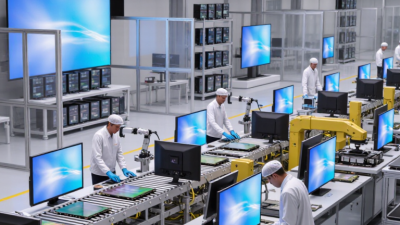
Choosing a display module is not simply a matter of picking the brightest screen. Buyers must match the technology to viewing distance, ambient light, power limits, interface, and product life. A sunlight-readable industrial panel faces different demands from a compact wearable or a living-room television. Small details matter. A connector mismatch can delay a prototype; excessive brightness can drain a battery.
Display-market analyst Ross Young is known for tracking panel demand and manufacturing trends. A useful buyer-focused takeaway from that work is: “Choose the display for the application, not just the specification sheet.” This is a guiding principle, not a substitute for a verified quotation. It points to a common purchasing mistake: comparing numbers without considering where and how the screen will be used.
This guide introduces ten display module types, including LCD, TFT, IPS, OLED, e-paper, and segment displays. These labels do not all describe the same technical layer; some refer to panel technology, while others describe construction or use. That distinction can be easy to miss. We will compare practical strengths, trade-offs, and typical applications, from a small monochrome status screen to a high-contrast OLED interface. No single type wins every time. Even this comparison has limits, because supplier quality and operating conditions can change the result. Buyers should confirm specifications against their actual design before committing.
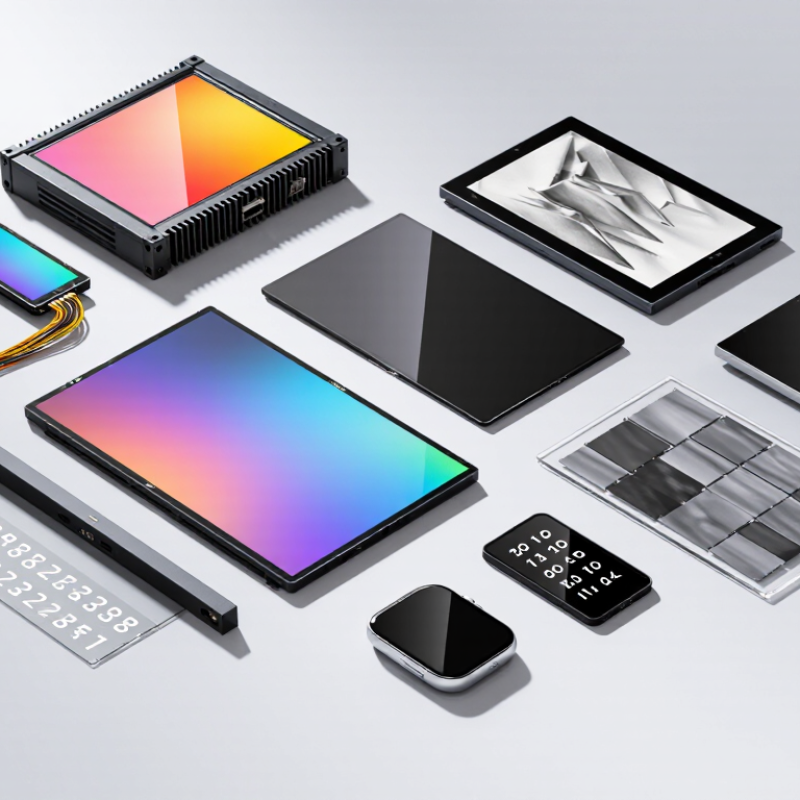
A display module combines a visible panel with supporting parts such as a backlight, driver, or touch layer. Its exact contents vary, so check what is included before comparing prices. Buyers may see character, segment, monochrome, TFT LCD, OLED, and e-paper modules. These categories can overlap: a touch layer may be paired with different panel technologies. Small details matter.
Start with the viewing task. A compact character display may suit basic readouts, while a high-resolution TFT can show maps or detailed graphics. Resolution alone is not enough. Compare brightness, contrast, viewing angle, and readability under the lighting where the device will operate. For outdoor use, test the screen in direct sunlight; a specification sheet may not tell the whole story. Fit comes first.
Check the interface, supply voltage, power draw, operating temperature, and mounting dimensions against the host device. A module that looks suitable can still require extra driver work or consume too much power. Ask for test conditions behind brightness and lifetime figures, and request a sample for hands-on evaluation when practical. I would not treat one comparison table as decisive; measurements can differ, and a quick bench test may miss problems that appear after installation.
What Are the Top 10 Display Module Types for Buyers?
LCD modules use liquid crystals to control light, often with a backlight. They suit meters, control panels, and simple status screens. TFT-LCD adds thin-film transistors, giving each pixel more precise control. This supports sharper graphics and faster updates, but can increase power use and design complexity. Check resolution, brightness, connector type, and operating temperature before choosing.
TN and IPS are common LCD panel modes, not separate display technologies. TN panels can be economical and responsive, though colors and contrast may shift when viewed from the side. IPS panels generally preserve color and visibility across wider angles. That matters when several people read one screen or when a device sits off-center. Yet IPS is not automatically the right choice; sunlight, budget, and power limits still matter. It is easy to focus on viewing angles and overlook the enclosure’s effect on readability.
Tips: Compare modules in the actual lighting and viewing position. Confirm the interface and mounting dimensions early. A bright screen may help outdoors, but it can draw more power. Small details matter.
I would revisit the choice after testing a working sample, not just a specification sheet. A screen that looks excellent on a desk may feel cramped inside a handheld device. Test the font size, glare, and cable clearance with the intended housing.
Representative viewing-angle comparison for common display technologies
Values are representative viewing angles in degrees, not universal specifications. Actual performance depends on the panel, measurement method, and contrast threshold. TFT-LCD is a broad category, and TN and IPS describe different LCD panel technologies.
OLED, AMOLED, and MicroLED modules create images with pixels that produce their own light. When a pixel switches off, it can show deep black without a backlight. Dark scenes gain detail, while bright colors appear vivid against shadow. The effect is striking. In a dim room, stars on a black screen can look sharply separated rather than washed out.
AMOLED is a form of OLED that uses an active matrix to control individual pixels. This supports fast response and detailed images in compact displays. OLED modules suit applications where thin construction and rich contrast matter, but prolonged static images may contribute to uneven pixel aging. That trade-off is easy to underestimate. Buyers should check usage patterns, brightness needs, and expected operating hours before choosing.
MicroLED also uses self-emitting pixels, but its inorganic light sources can support high brightness and long service life. It may perform well in sunlit spaces or demanding display installations. Yet tiny LEDs must be transferred and aligned with great precision, which can make modules costly and difficult to scale. Impressive specifications do not guarantee the best fit. Compare viewing distance, ambient light, power limits, and replacement plans; the practical choice is sometimes less glamorous than the demo.
| Display Module Type | How It Works | Contrast and Color | Typical Strengths | Common Applications | Buyer Considerations |
|---|---|---|---|---|---|
| 1. Segment LCD | Liquid-crystal segments shape simple digits, icons, or symbols; the display usually relies on ambient light or a separate backlight. | Usually monochrome, with clear contrast under suitable lighting; color options are limited. | Low power consumption, simple interface, and good suitability for fixed readouts. | Meters, thermostats, appliance panels, and basic handheld instruments. | Check segment layout, viewing angle, operating temperature, and whether a backlight is needed. |
| 2. Monochrome Graphic LCD | A pixel-based liquid-crystal panel, often using STN technology, displays text, icons, and simple graphics. | Typically monochrome; contrast and viewing angle depend on the panel mode and lighting. | More flexible graphics than a segment display, with modest system and power requirements. | Industrial controls, test equipment, small appliances, and portable instruments. | Confirm resolution, interface, backlight color and lifetime, and readability across the required viewing angles. |
| 3. TN TFT LCD | A thin-film-transistor active matrix controls each liquid-crystal pixel; TN describes the panel’s liquid-crystal mode. | Supports color images, but viewing-angle and color-shift performance are generally more limited than IPS alternatives. | Common, widely available, and suitable for many cost-conscious applications. | Entry-level monitors, simple control panels, and basic embedded interfaces. | Evaluate off-axis readability, color requirements, brightness, and backlight power. |
| 4. IPS TFT LCD | An active-matrix LCD using in-plane switching to control liquid crystals. | Color and image appearance are generally more consistent across wider viewing angles than on TN panels. | Good viewing-angle performance and broad availability in color resolutions. | Medical and industrial interfaces, tablets, monitors, and consumer devices. | Compare brightness, contrast, touch compatibility, viewing-angle needs, and backlight power. |
| 5. VA TFT LCD | An active-matrix LCD using vertically aligned liquid crystals to modulate a backlight. | Often offers higher native contrast than typical IPS panels, though viewing-angle behavior varies by design. | Strong dark-scene performance in many implementations and support for full-color images. | Displays, televisions, and selected embedded visual interfaces. | Check response time, off-axis image consistency, contrast in the intended environment, and module availability. |
| 6. Transflective LCD | A liquid-crystal display combines reflective and transmissive behavior to use ambient light and, when needed, a backlight. | Readability can improve in bright ambient light; color and contrast depend on the panel and illumination conditions. | Useful for equipment that must remain readable outdoors while conserving backlight energy. | Outdoor instruments, portable equipment, and sunlight-readable control displays. | Test readability in both direct sunlight and darkness; verify backlight performance and viewing angle. |
| 7. PMOLED | A passive-matrix OLED uses row-and-column addressing to drive self-emissive pixels. | Pixels emit their own light, enabling dark blacks and vivid color in color-capable modules. | Thin construction, no separate backlight, and a simple structure that suits smaller displays. | Compact wearables, small status screens, and simple user interfaces. | Assess size, resolution, duty cycle, image content, lifetime, and power use; power can vary with the amount of lit content. |
| 8. AMOLED | An active-matrix OLED uses a transistor circuit at each pixel to control its light output. | Self-emissive pixels can produce deep blacks, high contrast, and vivid color. | Thin modules, fast pixel response, and strong contrast without a backlight. | Smartphones, wearables, cameras, and other compact high-quality displays. | Consider brightness, power use for typical content, image-retention risk, lifetime, and module integration requirements. |
| 9. MicroLED | Microscopic inorganic LEDs form self-emissive pixels, with each pixel producing its own light. | Can deliver high brightness, strong contrast, and vivid color; performance depends on module design and implementation. | Self-emissive operation and potential suitability for large, bright display systems. | Large-format displays, specialty installations, and emerging premium applications. | Check availability, cost, pixel pitch, repair strategy, module alignment, and system-level integration needs. |
| 10. E-paper (Electrophoretic Display) | Reflective particles move within the display to form an image; many implementations retain a static image without continuous refresh power. | Designed for ambient-light readability and paper-like viewing; color, refresh speed, and contrast vary by module. | Very low power for mostly static content and good readability in bright environments. | E-readers, shelf labels, badges, and low-power information panels. | Confirm refresh time, temperature range, available colors, front-light needs, and suitability for moving content. |
Performance varies by panel construction, module configuration, driver electronics, and operating conditions. Compare specifications and sample displays under the intended use environment.
What Are the Top 10 Display Module Types for Buyers?
LED, E-Paper, and VFD Modules for Specialized Viewing Conditions
Display choice depends on light, viewing distance, and how often content changes. LED modules suit bright spaces, signs, and dashboards where clear visibility matters. Their vivid output is useful, but it can feel harsh in a dark room. Check brightness controls and viewing angle before buying. Small details matter.
E-paper modules work well for static text, labels, and low-power displays. They remain readable in sunlight and need little power between updates. However, refreshes can be slower, and color options may be limited. VFD modules produce bright, crisp characters and perform well in dim settings, such as instrument panels. They can use more power than some alternatives. There is no universal winner, and specifications alone may not reveal how a screen feels in its final enclosure.
Tips: Test a sample under the actual lighting conditions. View it from the expected distance, then check contrast and refresh behavior. Ask whether the module’s interface and operating temperature fit your device. A quick bench test can miss glare or awkward angles, so leave room to reassess.
Choosing a display module starts with the viewing conditions, not the specification sheet. A small indoor control panel has different needs from an outdoor instrument. Check viewing angle, brightness, power use, operating temperature, and available space. Then compare ten common options: TN, IPS, and VA LCDs; TFT LCDs; OLED, AMOLED, and PMOLED; monochrome LCDs; e-paper; and LED matrix modules. These categories can overlap: TFT describes a driving method, while IPS describes a panel technology.
TN modules can suit cost-sensitive devices with simple graphics, while IPS panels offer wider viewing angles for shared screens. VA can provide strong contrast, though motion may look slower. OLED types deliver deep blacks and slim designs, but sustained bright content can affect aging.
Monochrome LCDs keep basic instruments readable with low power draw. E-paper suits static information, not fast animation. LED matrix modules are visible at a distance, but may need more power. That matters.
Match performance to use. For a battery sensor, compare real operating current, not only the panel’s headline rating. For a bright shop window, test readability in direct sunlight. Ask suppliers for interface details, viewing-angle data, and samples at the intended size. A datasheet rarely captures every installation condition. I would also leave room in the budget for cables, controllers, and mounting parts; these small costs are easy to miss. Some trade-offs remain awkward, especially when low cost, high brightness, and long life are all required.